
Streamline CPA Billing with Chrome Extension
Overview
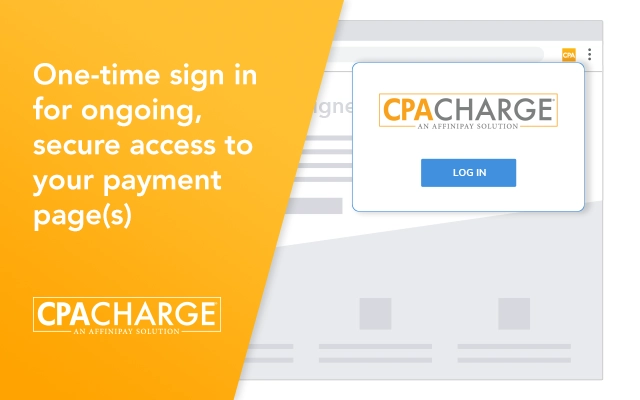
The CPACharge Google Chrome Extension is designed to simplify payment processing for accounting professionals by integrating directly into the Chrome browser. This tool enables CPA firms to access their secure payment pages instantly, eliminating the need to navigate away from their current workflow. By installing a single button in the browser toolbar, users gain immediate access to payment links, allowing them to send invoices or accept payments in seconds.
Targeted at accounting professionals and CPA firms, the extension enhances billing efficiency by reducing manual steps and minimizing the risk of errors during client payment collection. It supports seamless integration with existing CPACharge accounts, enabling users to manage client payments without switching between platforms. Real-world use cases include sending payment links during client emails, processing urgent invoices, or handling recurring billing tasks directly from the browser.
The developer, CPACharge, specializes in payment solutions tailored for accounting firms, suggesting a focus on security, compliance, and ease of use. While specific details about the development team are not provided, the extension’s purpose aligns with industry needs for faster, more secure client billing tools. The extension is intended for users who prioritize workflow continuity and want to reduce friction in their payment processes.
Key Features & Capabilities
- One-Click Payment Page Access – Launch your CPACharge payment page instantly in a new browser tab with a single click, reducing time spent navigating to the account portal.
- Link Copy to Clipboard – Copy payment links directly to the system clipboard for easy sharing via email, messaging apps, or client portals.
- Browser Integration – Seamlessly embeds into the Chrome toolbar, ensuring consistent access across all browsing sessions.
- Secure Payment Access – All interactions occur through the secure CPACharge platform, maintaining encryption and compliance standards.
- Effortless Client Communication – Enables quick sending of payment links during client correspondence, improving response rates and cash flow.
These features support real-time billing workflows, such as attaching a payment link to a client email immediately after sending an invoice. Users can also generate and share links during virtual meetings, enhancing client experience. The extension is particularly useful in high-volume billing environments where speed and accuracy are critical.
User Interface, Workflow & Performance
The user interface is minimal and focused, featuring a single button in the Chrome toolbar. The design prioritizes functionality over visual complexity, ensuring that users can access core features without distraction. Navigation is straightforward: clicking the button opens the payment page in a new tab or copies the link to the clipboard, depending on the selected action.
Workflow efficiency is enhanced by reducing the number of steps required to initiate a payment process. Users no longer need to log in to a separate dashboard or manually navigate to a payment URL. The extension operates within the browser environment, preserving the context of ongoing tasks. This reduces cognitive load and minimizes workflow interruptions.
Performance details were not specified by the developer. However, as a lightweight browser extension, it is expected to have minimal impact on system resources. The extension’s behavior is consistent with standard Chrome extension patterns, including quick response times and stable operation during typical use. The developer did not provide additional system requirements or resource usage data.
Compatibility & System Requirements
The CPACharge Chrome Extension is compatible with Windows and Mac operating systems. It is designed specifically for the Google Chrome browser, ensuring broad accessibility across desktop environments. The installation size is 1.2 MB, indicating a lightweight footprint that should not significantly affect system performance.
Exact system requirements were not listed. However, compatibility is likely dependent on having a current version of Google Chrome installed. The extension does not require additional software or plugins beyond the browser. The developer did not specify hardware requirements or performance benchmarks.
Pros and Cons
Pros
- Instant access to payment pages without logging in
- Seamless integration with existing CPACharge accounts
- Minimal system resource usage due to small file size
- Supports secure, compliant payment processing
- Enhances billing speed and client communication efficiency
Cons
- Restricted to Google Chrome browser only
- No offline functionality available
- Requires a CPACharge account to function
- Limited to payment-related actions, no additional features
- Does not support other browsers like Firefox or Edge
FAQ Section
Is the CPACharge Chrome Extension free to use?
Yes, the extension is available at no cost. It is included as part of the CPACharge service offering for accounting professionals.
Which browsers are supported?
The extension is designed exclusively for Google Chrome. It is not compatible with other browsers such as Firefox, Safari, or Microsoft Edge.
Do I need a CPACharge account to use this extension?
Yes, the extension requires an active CPACharge account to access payment pages and generate payment links.
Is my data secure when using the extension?
Yes, all payment interactions are handled through the secure CPACharge platform. The extension itself does not store or transmit sensitive data.
How often are updates released?
Updates are released periodically by CPACharge to maintain compatibility with Chrome and improve functionality. Users are encouraged to keep the extension up to date for optimal performance.
Final Thoughts
The CPACharge Chrome Extension delivers a focused, efficient solution for accounting professionals seeking to streamline client billing. By embedding payment access directly into the browser, it reduces friction in the payment process and supports faster cash flow. Its lightweight design and secure integration make it a practical tool for CPA firms managing multiple client accounts.
While limited to Chrome and requiring an existing CPACharge account, the extension excels in its intended purpose: simplifying payment link distribution. It is ideal for professionals who prioritize speed, security, and workflow continuity. For firms already using CPACharge, this tool enhances productivity without adding complexity.
Download CPACharge now and transform your client billing process with one click.







